

Free online music composer
Compose music in your browser — free
Write melodies and chords for 23 instruments, build beats on a drum grid, play Indian taals on tabla, then mix and master your track with EQ, compressors and a limiter. Export M4A, MP3 or WAV, or put your music under a video.
Free, no limits · No watermark on audio · Works in Chrome and Edge on your computer
By signing in you agree to the Terms and conditions and Privacy policy. Signing in links basic usage, a short sample of each audio export (for content review), and a copy of each exported project file, to your Google or Apple account.
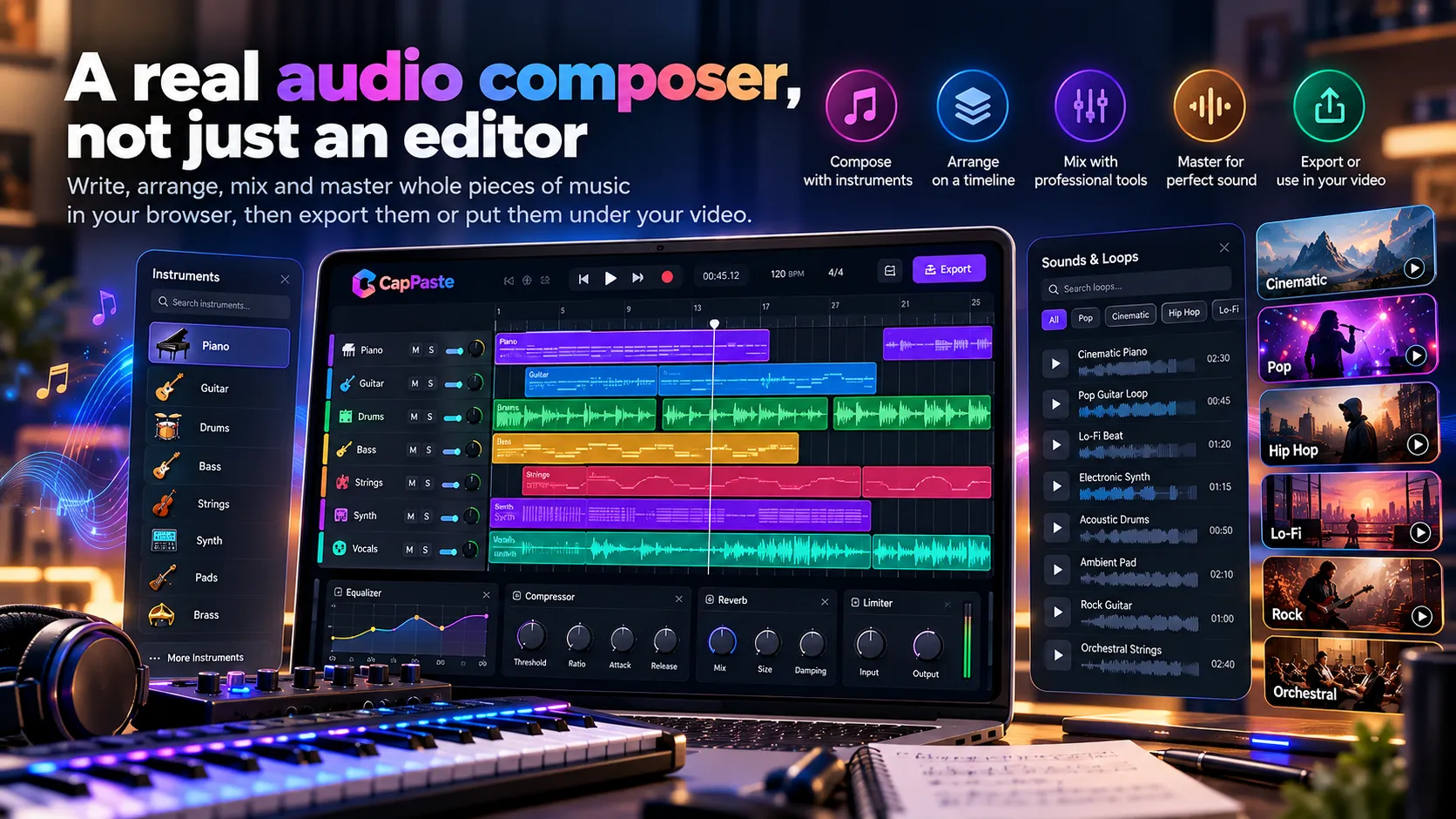
Everything you need to write, arrange and finish a track
A music composer, a multitrack arranger and a mixing desk in one browser tab.
-
Type notes and chords
Write melodies note by note (C5, rests, ties) or chords like Am7 and G/B. Set the tempo and repeats, and hear it straight away.
-
Sargam for Indian music
Write melodies in Sa Re Ga Ma and play them on sitar, veena, santoor, bansuri, shehnai or harmonium, with a tanpura drone underneath.
-
Drum grid and taals
Build beats on a step grid with accents and swing, start from rock, hip-hop, house, funk, reggae or bossa nova, or play Teentaal, Keherwa and other taals on tabla.
-
Multitrack arranging
As many instrument, voice and sound tracks as you need on one timeline: move, trim, split and layer parts, with fades and volume curves.
-
Record vocals
Record your voice over the music, clean it up with noise reduction and voice effects, or bring in your own audio files.
-
Export without a watermark
Export M4A, MP3 or WAV in seconds, with no watermark and no limits, or add your music to a video project.
23 instruments
Western and Indian instruments, ready to play
- Keys: piano, electric organ, church organ and harmonium.
- Strings: string ensemble, violin, guitar, bass, sitar, veena, santoor, koto and erhu.
- Wind: flute, bansuri and shehnai.
- Synths and colour: synth lead, synth pad, bells and marimba.
- Rhythm and drone: a drum kit on the beat grid, tabla for taals and a tanpura drone.
Mix & master
Mix and master like a real studio
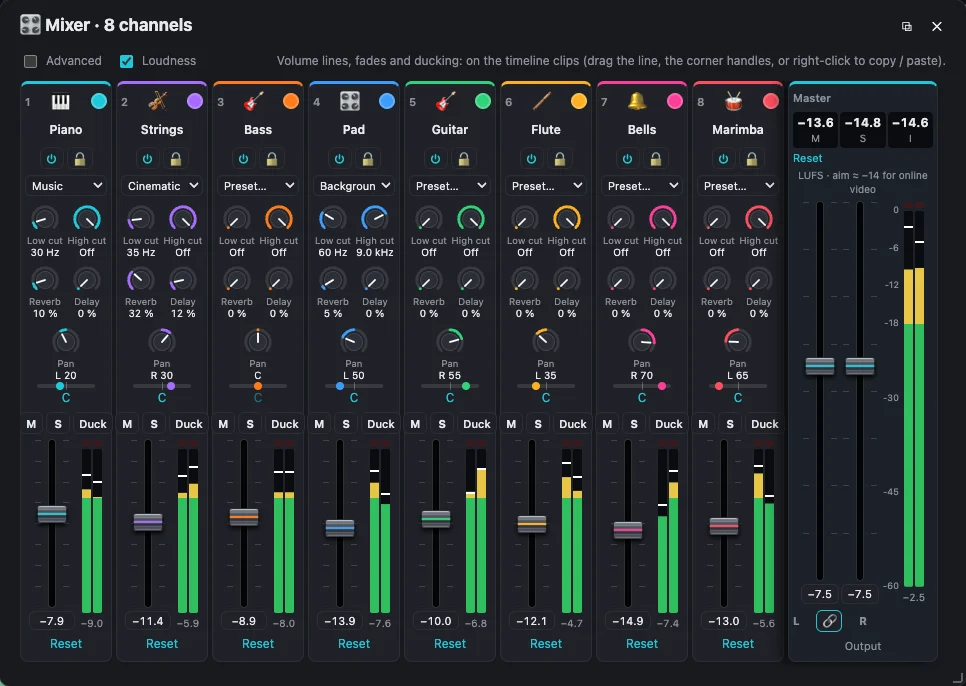
- A 4, 8 or 16-channel mixer with faders, pan, width, mute and solo for every track.
- A compressor on every channel and on the master, with presets and live gain reduction, and a master limiter that keeps the mix loud without clipping.
- 10-band EQ with 21 presets, separate left and right channels, plus low and high cut, reverb, delay and stereo width.
- Left and right meters with peak hold and clip lights, a live spectrum, and loudness in LUFS to hit −14 for streaming.
- Everything you hear is exactly what you export.
280+ audio templates
Start from a template, not a blank page
Arrangements, beats, drum patterns, podcast intros, cinematic music, mixing and EQ presets and sound effects in 68 categories. Every template is ordinary tracks you can change note by note.
Compose your first track in three steps
- Create an audio project or pick an audio template, and sign in with Google or Apple.
- Add instrument tracks: type notes and chords, build a beat on the drum grid, or record your voice.
- Mix, master and export M4A, MP3 or WAV.
Questions
Is the music composer free?
Yes, free with no limits: no trial, no export cap and no paid plan. Audio exports never have a watermark.
Do I need to read music?
No. You can start from a template, build beats by clicking on the drum grid, and type chord names like C, Am and G7. If you know notes or sargam you can write melodies note by note.
Can I compose Indian classical or film music?
Yes. Write melodies in sargam for sitar, veena, santoor, bansuri, shehnai or harmonium, add a tanpura drone, and play Teentaal, Keherwa, Dadra and other taals on tabla.
Do I need to install anything?
No. The composer runs in your browser. Use a recent Chrome or Edge on a computer for the best experience.
Can I use my music in videos?
Yes. Export your track and use it anywhere, or add instrument tracks straight to a CapPaste video project.
Is my audio uploaded?
No. Your audio is made and edited on your own computer. A copy of each exported project file (the edit, not your media) and a short audio sample are kept for content review, as explained in the privacy policy.
Ready to write some music?
Making videos too? See the CapPaste video editor.